Ask Claude or ChatGPT about private equity deals
Connect AcquityData once, then ask in plain words. Your AI app searches our database of companies, PE firms, transactions and professionals and answers with what it finds.
What you can do with it
Instead of opening search pages and filters, you describe what you want. The AI runs the searches for you in AcquityData and puts the answer together. Everything it reads comes from AcquityData, with the same access as your own account.
Deals
Buyouts, add-ons, growth deals and exits by year, sector, country, investor or size, with the press release link when we have one.
PE firms
Who they are, where they are based, what they invest in, their funds and their latest investments. Rank the most active firms for a sector or period.
Companies
Profiles of target and portfolio companies, with their investors and every deal on record.
Professionals
Find partners, directors and other deal professionals at PE firms, companies, banks and law firms.
Try asking
What were the biggest healthcare buyouts in 2025, and who invested?
Which PE firms were most active in software in the last 3 years?
Show me the latest investments by Advent International.
Find partners at mid-market PE firms in the United Kingdom.
Be specific about the year, sector or country. Ask the AI to show the source link for each deal so you can check it.
Connect to Claude
You need an active AcquityData account (the free trial works) and a Claude plan that allows custom connectors. It takes about two minutes.
-
Copy the AcquityData address
Log in to AcquityData, open the menu under your name and choose AI Connector. Press Copy next to the address, or copy it from here:
https://acquitydata.com/api/mcp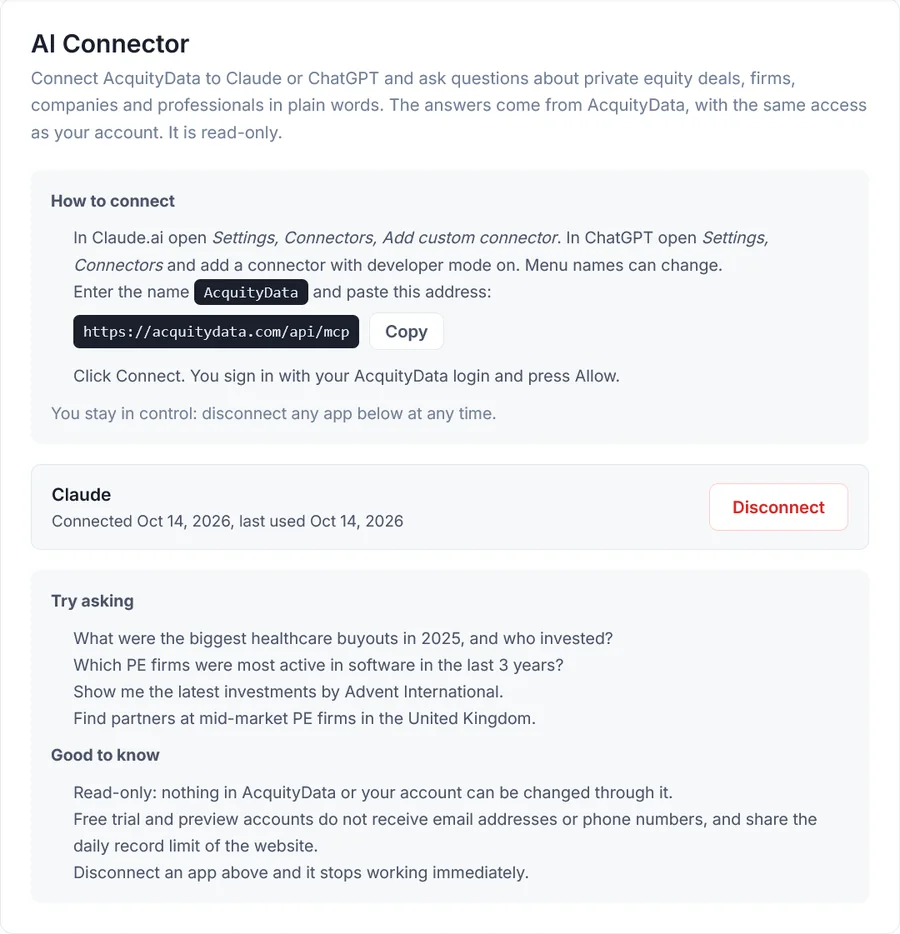
My Account, AI Connector -
Add a custom connector in Claude
In Claude open Settings, then Connectors, then Add custom connector. Type the name AcquityData, paste the address and press Continue.
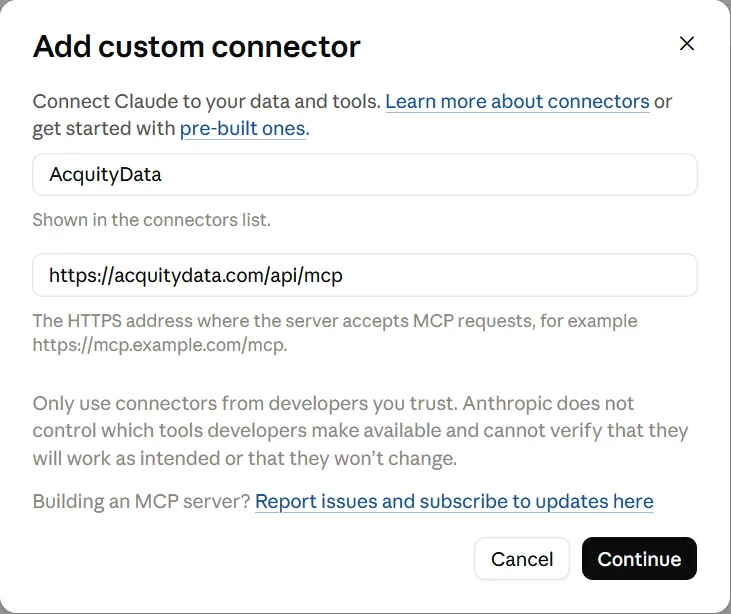
Name and address -
Keep the detected sign-in options
Claude finds the sign-in method by itself: Sign in now and Register automatically. Leave them as they are and confirm.
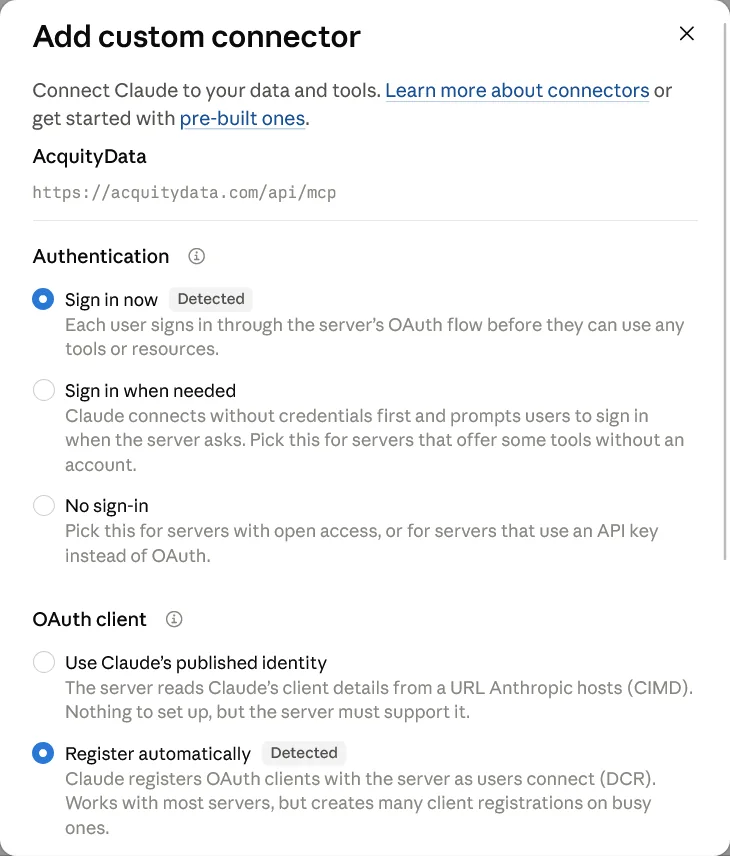
Detected options -
Press Connect
Claude shows that you are not connected yet. Press Connect to open the AcquityData sign-in.

Connect -
Sign in and press Allow
A page on acquitydata.com asks you to log in if you are not already, and then shows what the app can do. Check it and press Allow. Your password is typed on acquitydata.com only. Claude never sees it.
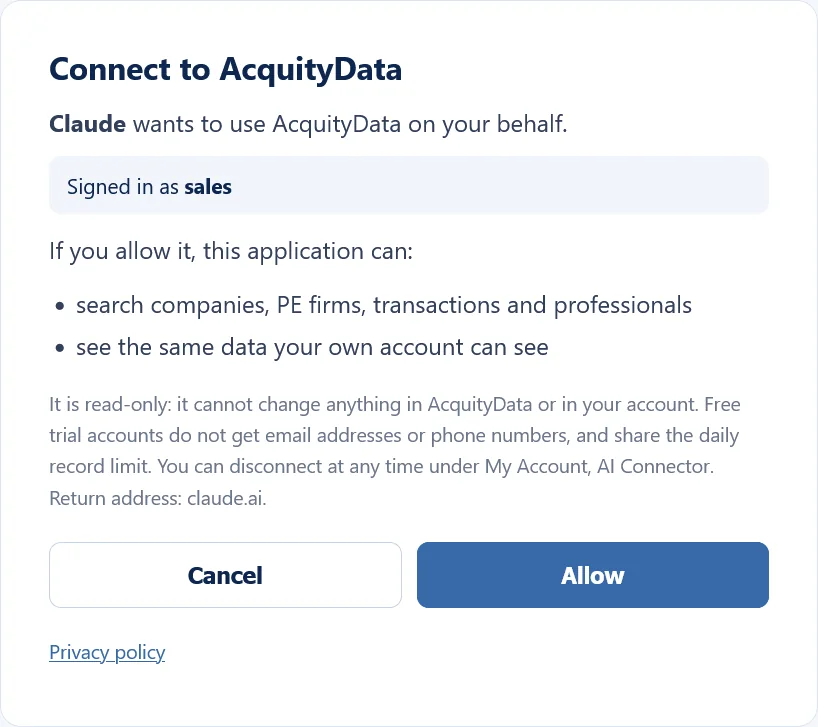
The Allow page -
You are connected
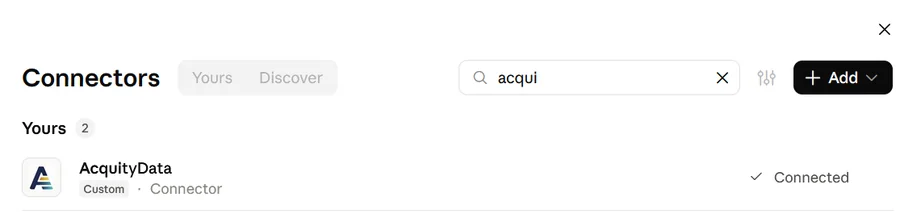
AcquityData now shows as Connected in your connectors. Start a new chat and ask your first question.
Connected -
Choose how Claude uses the tools
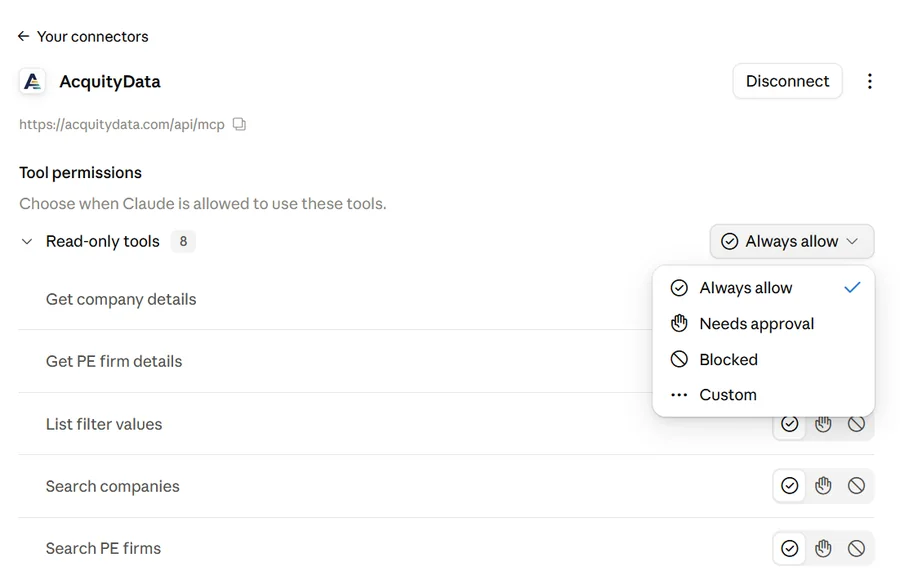
Open AcquityData in the connectors list to see its eight read-only tools. Always allow saves you a confirmation for every search. Choose Needs approval if you prefer to confirm each one.
Tool permissions
Connect to ChatGPT
The steps are the same idea. Menu names in ChatGPT change from time to time, and custom connectors are available on some ChatGPT plans only, so check OpenAI’s help if you do not see the option.
- Open ChatGPT Settings and find Connectors (or Apps). If custom connectors are hidden, turn on Developer mode in the advanced settings.
- Choose to add or create a connector, enter the name AcquityData and paste
https://acquitydata.com/api/mcpas the server address. Select OAuth for authentication. - Save it, press Connect, sign in with your AcquityData login and press Allow.
- In a new chat, turn the AcquityData connector on for that chat and ask your question.
Free trial and paid accounts
The connector uses your own account, so you get what you would see on the website. On a free trial or preview account, email addresses and phone numbers are not included, and the daily record limit is shared with the website (see the limits). Paying members have no daily limit and see contact details.
Disconnect any time
In AcquityData
Log in, open the menu under your name, choose AI Connector, and press Disconnect next to the app. Access stops immediately, even if the app is still set up on the other side.
In Claude or ChatGPT
Open Settings, then Connectors, select AcquityData and press Disconnect (or remove it). Do both if you want it fully gone.
Safe by design
- Read-only. The connector can search and read. It cannot change anything.
- You stay signed in on our side. You approve each app on acquitydata.com and can remove it whenever you like.
- What we receive. AcquityData receives the searches your AI app runs and returns the matching records. Read our Privacy Policy for how data is handled.
- Check the answers. AI apps can misread results. Ask for the deal links and open them before you rely on a figure.
Questions
Do I need an API key?
No. You add the AcquityData address to Claude or ChatGPT and sign in with your normal AcquityData login. There is nothing to copy or store.
Can the AI change anything in my account or in AcquityData?
No. The connector is read-only. It can search and read records, and it cannot edit, delete or create anything.
Which AI apps work with it?
Claude (claude.ai) and ChatGPT, through their custom connector options. Any other AI app that supports MCP connectors with sign-in can use the same address.
Why do I not see email addresses or phone numbers?
Free trial and preview accounts never receive email addresses or phone numbers, on the website or through the connector. Paid plans include them.
Is there a daily limit?
Free trial and preview accounts share the daily record limit of the website, and the connector uses the same count. Paying members are not limited.
How do I stop it?
Open My Account, then AI Connector, and press Disconnect next to the app. Access ends immediately. You can also remove the connector inside Claude or ChatGPT.
Try it with a free trial
Sign up, open My Account, AI Connector, and connect in two minutes.
Start your free trialClaude is a trademark of Anthropic, PBC. ChatGPT is a trademark of OpenAI. AcquityData is not affiliated with, endorsed by or sponsored by Anthropic or OpenAI. Screenshots show the Claude interface as it appeared on the date of writing and may change.